
MacroTracker. The last nutrition tracker you’ll need.
Your only job is showing up. MacroTracker handles the numbers. Snap a photo, scan a label or barcode, or search for your meal, and get instant calorie and nutrient info.


Fast to use. Easy to trust.
Four ways to log a meal, all built for speed, so tracking fits into a busy week instead of competing with it.
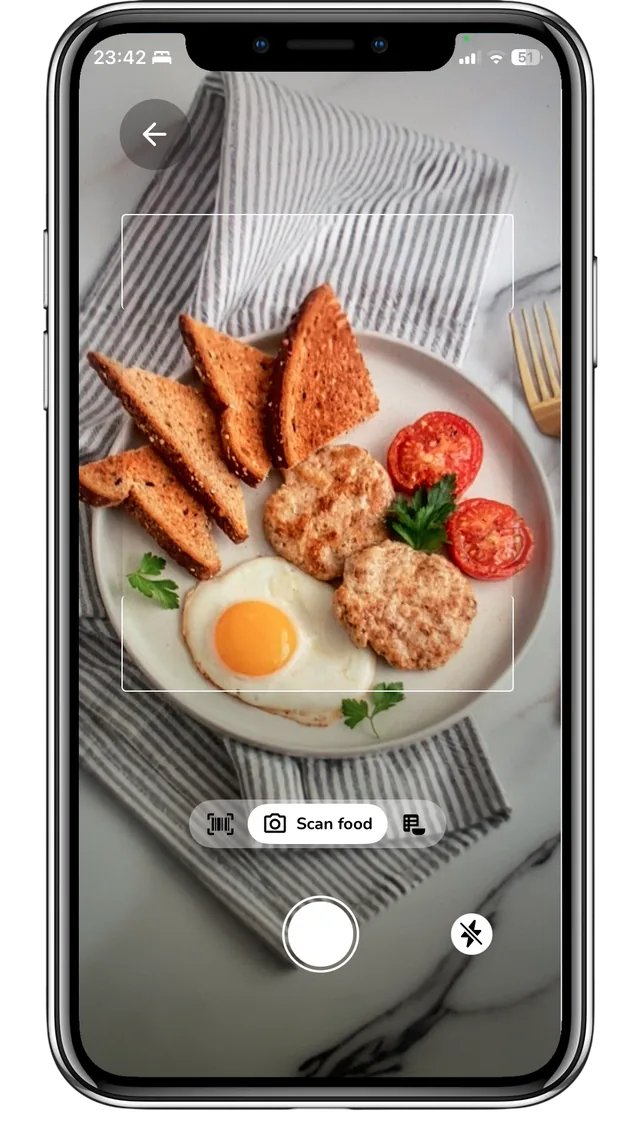
Track Your Meals by simply Snapping a Photo
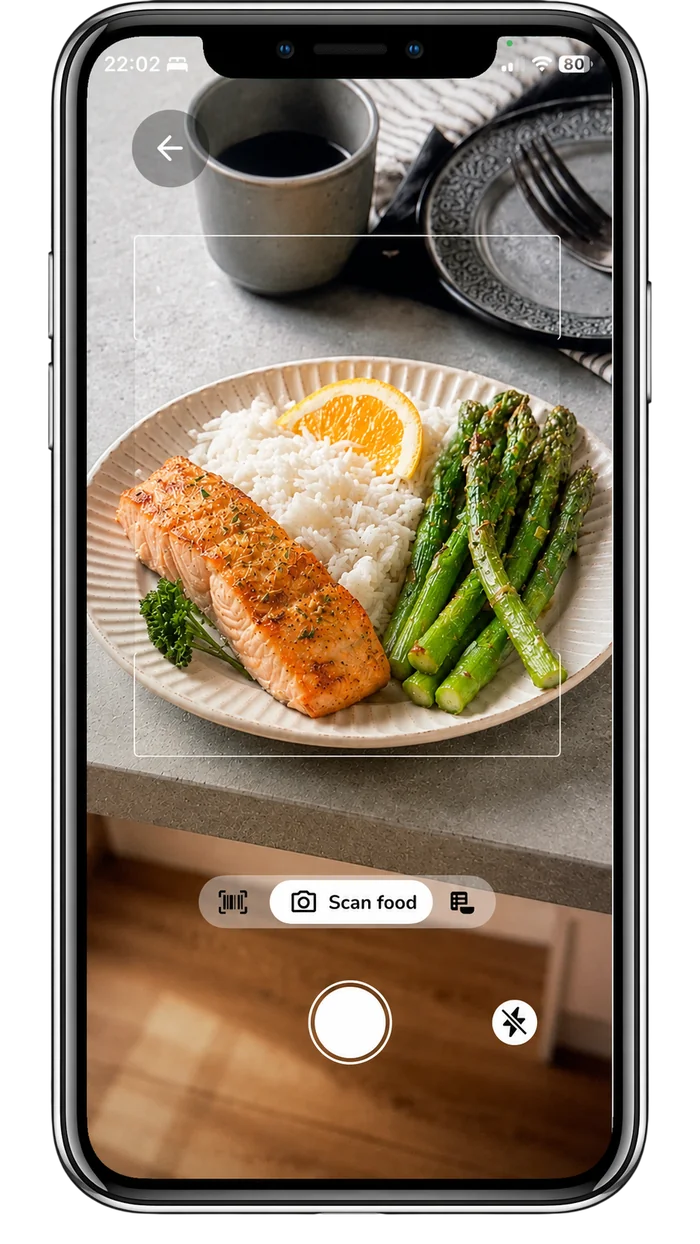
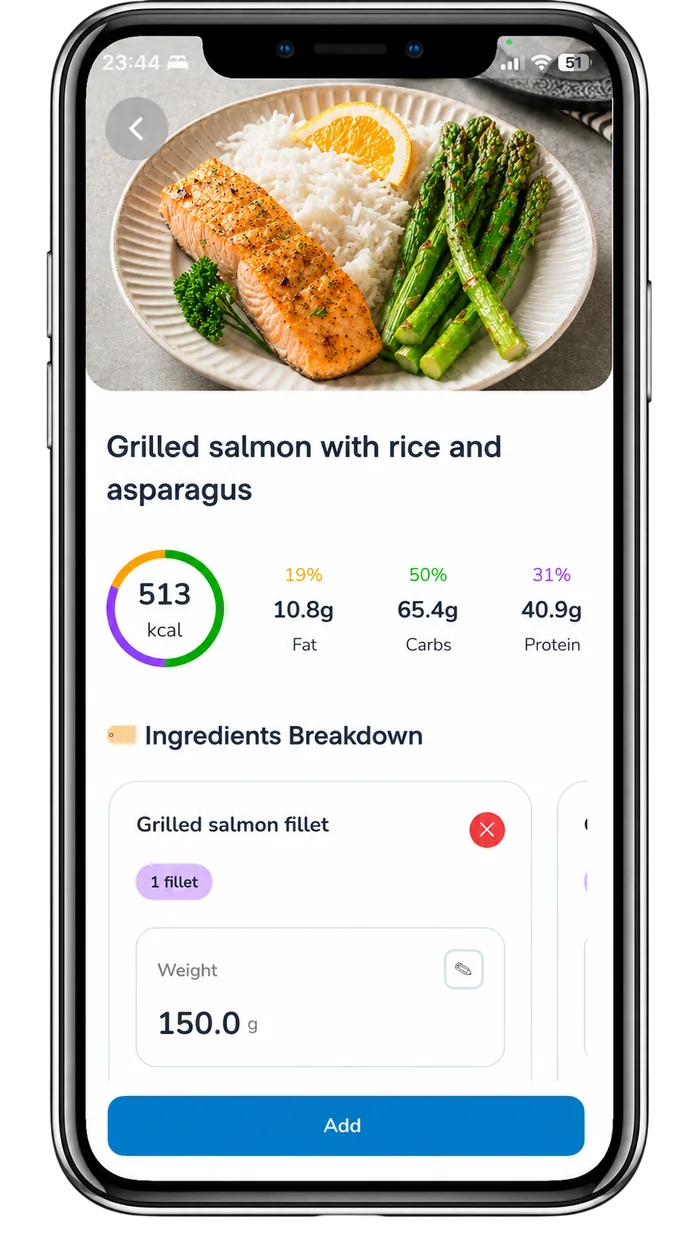
Take a photo with MacroTracker, and our AI identifies your food, cross-checks it against trusted nutrition data, and provides a detailed breakdown of calories, protein, carbs, and fat.
Get Nutrition by Simply Scanning a Label
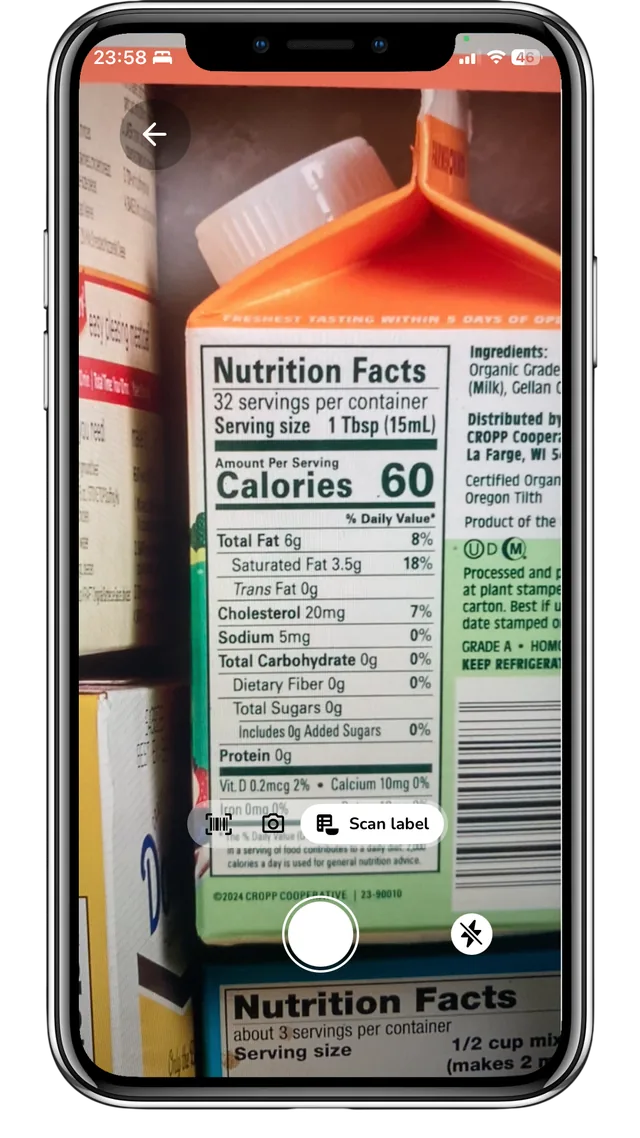
Scan a nutrition label with MacroTracker, and OCR (Optical Character Recognition) powered by AI reads it, then cross checks the macros against the calorie count to confirm the numbers add up. If something looks off, an AI model trained on hundreds of thousands of real labels steps in to get it right. Don't take our word for it. Try it yourself.
Search Over 2 Million Foods in Seconds
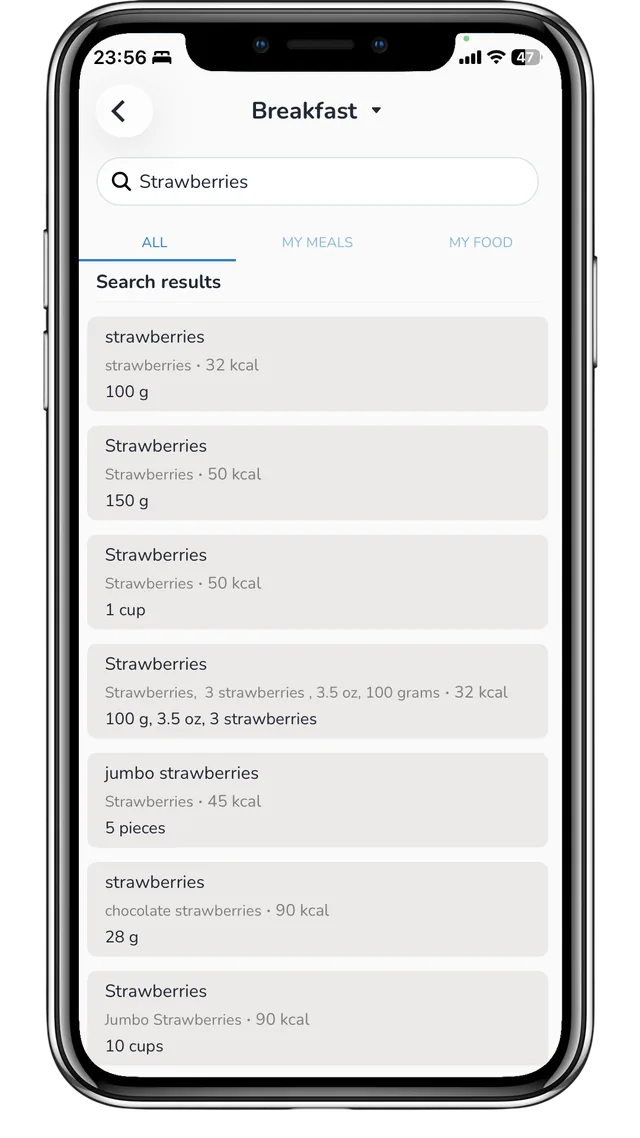
Find and log any food by name or brand, or scan a barcode for instant nutrition info. With over 2 million foods in our database, chances are it's already there.
Adaptive Goals, Not a Static Number
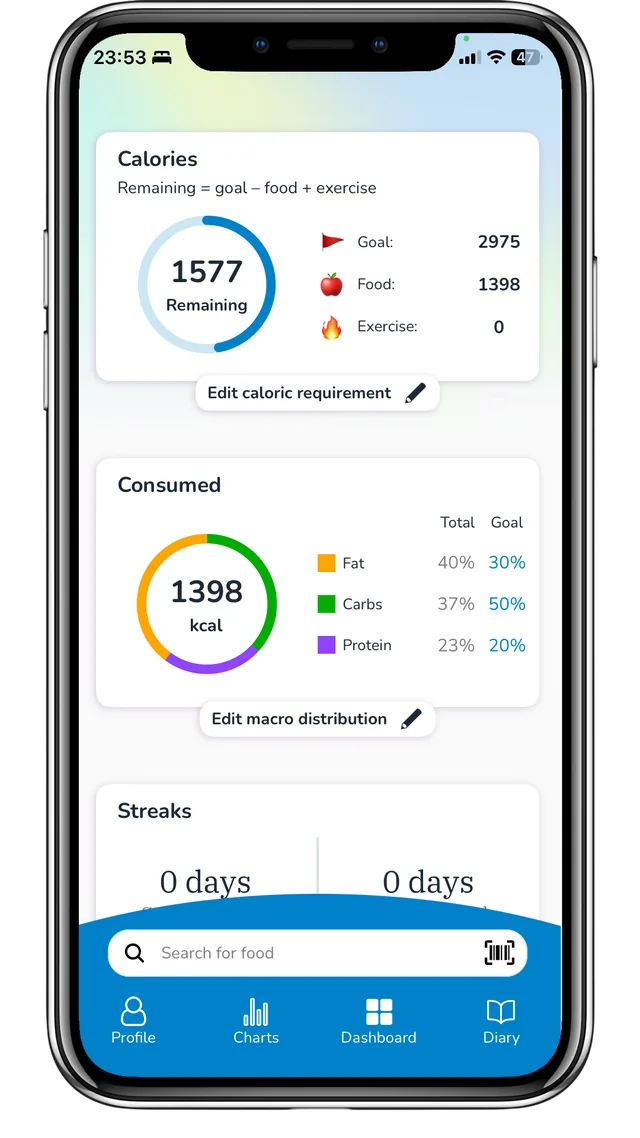
Your targets shift with your progress, your goals, and your lifestyle, and you can customize them to fit exactly how you live.
One log, every meal, every macro.
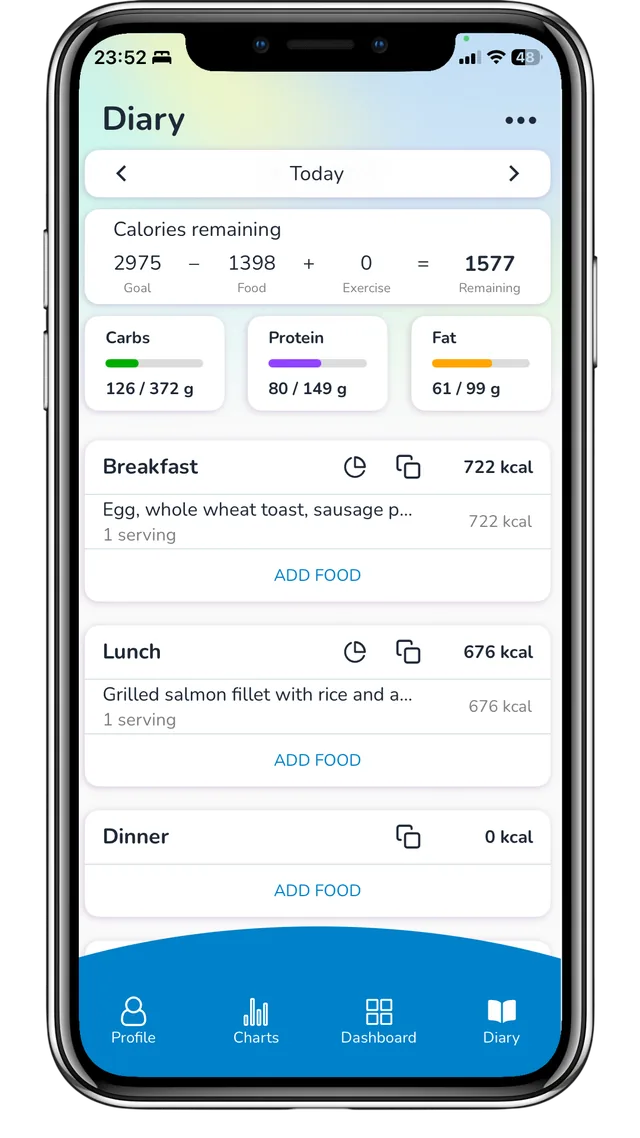
Every meal, every macro, running totals, one clean log for the whole day, not a spreadsheet in disguise.
See your patterns, not just your numbers.
Every Sunday, MacroTracker looks back at your week and surfaces what actually changed, so you can adjust before the next one starts, not after it's over.
Protein by meal
Weekly average- Breakfast 28g · 20%
- Lunch 42g · 30%
- Dinner 49g · 35%
- Snack 21g · 15%
Free vs. Premium.
Free
Everything you need to start tracking.
-
Barcode scannerInstant packaged-food lookup
-
Food database searchOver 2 million foods
-
Nutrition logEvery meal in one place
-
Create, save & edit foods and mealsYour own custom recipes
-
Adaptive goalsTargets that adjust weekly
-
Charts and progressTrends at a glance
-
Nutrition planPersonalized daily targets
Premium
Everything in Free, plus AI does the reading for you.
-
Track with just a photoAdvanced AI photo recognition
-
Nutrition label scannerAdvanced AI OCR
Fitness enthusiasts choose MacroTracker because they can trust the numbers. None of them are a guess.
Three places most tracking apps take shortcuts, and where MacroTracker doesn't.
Grounded in real food data, not a guess
Most new AI food scanners are a language model guessing at a photo. MacroTracker grounds every scan against a verified database of 2 million foods, and backs it up with a barcode scanner and a label reader for packaged foods.
Nutrition labels, double-checked, not just scanned
Most label scanners trust whatever the OCR (Optical Character Recognition) reads, misprints and all. MacroTracker checks the protein, carbs, and fat against the label's own calorie count, and if the numbers don't reconcile, a model trained on thousands of real nutrition labels steps in to get it right. Don't take our word for it — try it yourself.
Targets built for you, not the average
A generic calorie target assumes everyone burns the same, whether you have a slow metabolism or a physically demanding job on top of training. MacroTracker lets you fully customize your targets to fit your body and your life, not an average that was never built for you.
Loved by People Who Track Smarter
I love this app. I've used it for over a year now. It's so easy to use, and you can save meals for easy meal planning. The macro bars are simple for getting an idea of how you're doing on your goals. Connect your health app to convert steps into calories to track. I use this app every day, and the more you use it and save meals, the easier it gets.
FatGuySanchoHallelujah! This is by far the best app available to track macros. I've been using this app since January 2024 and I've lost 59 lbs. I love this app, I've tried others, but none are as easy, simple and user friendly as this one. I really appreciate this app for its simplicity and ease of use.
LMNL5739I feel like this app is more accurate than any other food tracker I've tried. After doing some research on a recipe I'd added, I found the numbers held up. That's why I trust this app's food data. It's really, really accurate.
Hadassah b5500I really love this app! I found this app by luck, searching in the App Store and it might be my best find yet!
Downtown XenaI was looking to find a good macro tracker and tried lots of other apps. Then finding this app made all of the other apps obsolete. Easily making this the ONLY good macro tracking app, and I recommend it to anyone and everyone interested in stepping up their nutritional training.
CaiBucPrivacy you control, not just promises.
Privacy-compliant security protocols ensure your data is handled safely and responsibly.
Read our privacy policyYou're in control
Delete your data, export it, or close your account any time — no calls required.
No account needed
Skip the signup and MacroTracker keeps everything local. What you log stays on your phone, not our servers.
Your data works for you
If you create an account, we store your data for one reason: so you can access it. Never to sell, and never for anything else.
Questions, answered.
Get crystal-clear answers about our app to help you choose with total confidence.
How accurate is photo-based tracking?
Is MacroTracker free to use?
Can I cancel Premium anytime?
I want a refund. How do I get one?
- Apple App Store: Apple handles this directly.
- Google Play: Same deal, request it through Google.
The app scanned my food totally wrong. It thinks my dinner is something else entirely
- Use good lighting. Natural light or a well-lit room helps MacroTracker identify your food more accurately.
- Keep it clear and focused. Make sure the food or nutrition label is sharp, easy to see, and fills the frame.
- Keep MacroTracker up to date. We're continuously improving the AI to make every scan faster and more accurate.
Still have questions? We're here to help.
Email our team“Your commitment was never the problem. Your tracker was. We built MacroTracker because nutrition tracking shouldn't feel like data entry.”— The MacroTracker team